
FAB Mobile Banking App
FAB Mobile Banking App – Download & Manage Your Banking Anytime in UAE
The FAB Mobile Banking App by First Abu Dhabi Bank (FAB) offers a smart and secure way to manage your finances directly from your smartphone. With advanced digital banking technology, customers can easily control their money, track expenses, and perform everyday banking tasks anytime and anywhere in the UAE.
Designed for convenience and security, the FAB Mobile App provides powerful features that help you manage accounts, view balances, transfer funds, pay bills, and monitor spending—all with just a few taps. Whether you are at home or on the move, FAB’s mobile banking solution ensures seamless access to your finances whenever you need it.
Do you want Nbad Balance Inquiry: FAB Balance Check
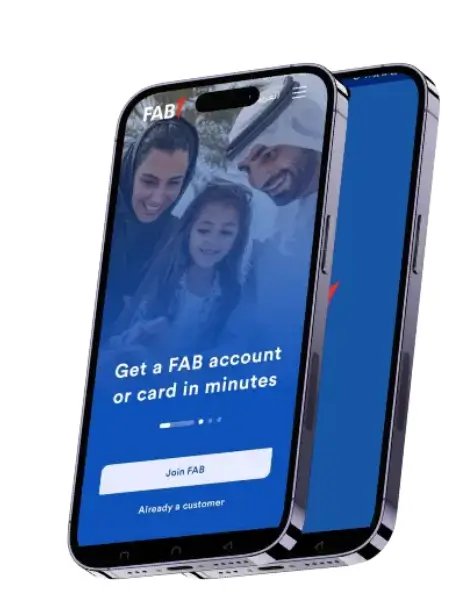
How to Download and Install the FAB Mobile App
Getting started with the FAB Mobile Banking App is simple and hassle-free. The app is available for both Android and iOS devices and can be installed in just a few steps.
For Android Devices
- Open the Google Play Store on your smartphone.
- Search for “FAB Mobile” or “First Abu Dhabi Bank”.
- Tap Install to download the app.
- Once the installation is complete, open the app and follow the on-screen instructions to register and start using FAB mobile banking.
For Apple (iOS) Devices
To download the FAB Mobile Banking App on your iPhone or iPad, follow these simple steps:
- Open the Apple App Store on your device.
- Search for “FAB Mobile Banking” or “First Abu Dhabi Bank App”.
- Tap Get to download and install the app.
- After installation, open the app and complete the setup process to access your FAB account and mobile banking services securely.
Registration Steps for FAB Mobile Banking App
The FAB Mobile Banking App makes registration easy for both existing and new customers. Follow the steps below based on your status:
For Existing FAB Customers
- Select the “Existing Customer” option on the app’s home screen.
- Enter your FAB debit or credit card details to proceed.
- Scan your Emirates ID as prompted.
- Complete the face verification (face scan) for enhanced security.
For New Customers
- Choose the “New Customer” option to open a FAB account directly through the app.
- Scan your Emirates ID to start the process.
- Enter your personal details as guided on the screen.
- Complete the face verification to confirm your identity.
Once registration and verification are successfully completed, log in to your account and enjoy full access to FAB digital banking services, including balance checks, fund transfers, bill payments, and more—all from your mobile device.
key Benefits of Using the FAB Mobile App
Unlimited Bank Access with FAB Mobile App
- Enjoy 24/7 access to your FAB bank account without visiting a branch.
- Skip long queues thanks to advanced digital banking features.
- Check your account balance anytime, anywhere.
- Pay utility bills and service payments directly from the app.
- Transfer funds securely within the UAE or internationally.
- Track your spending and expenses in real time for better money management.
High Security with FAB Mobile App
- Secure access with biometric login options, including Fingerprint and Face ID.
- Added protection through One-Time Passwords (OTP) for sensitive transactions.
- Automatic session timeouts to prevent unauthorized access.
- Advanced security measures designed to protect your financial and budget data at all times.
Quick International Transfers
- Send money quickly to countries like Pakistan, India, Sri Lanka, and the Philippines.
- Enjoy fast and reliable international remittance services, often with low or zero transfer charges.
- Support your family back home easily using the FAB Mobile Banking App.
- Designed especially for the UAE’s large expatriate community to make overseas transfers simple and convenient.
What’s New in the FAB Mobile App?
The latest updates to the FAB Mobile App offer a more efficient and user-friendly experience. Unnecessary elements have been removed to give the app a cleaner, more refined interface. Checking your NBAD balance is now faster and easier, as the app runs more smoothly with improved performance.
- Instantly download stamped bank statements, ideal for official and documentation purposes.
- Open multi-currency accounts (USD, GBP, EUR) directly from your mobile phone.
- Set up auto-debit payments for your credit card by selecting a fixed percentage or the full outstanding amount.
- Get direct access to IPO subscriptions, making investments simpler and more convenient.
- Enjoy exclusive Amazon partnership benefits and earn extra reward points when shopping through the app.
- Benefit from enhanced security features, including advanced bio metric authentication for safer banking.
Cards You Can Apply for Using the FAB Mobile App
The FAB Mobile App allows you to explore, apply for, and manage a wide range of cards with ease:
- Premium Credit Cards (such as FAB Elite, offering exclusive travel benefits and high reward points)
- Cashback & Lifestyle Cards (including FAB Z Card and FAB Cashback Card with special offers on shopping, dining, and travel)
- Co-Branded & Partnership Cards (like Manchester City, du, and Etihad Guest cards, each featuring unique rewards and loyalty programs)
- Education & Family-Focused Cards (such as the GEMS World Credit Card, designed for school-related savings and cashback)
- Basic & Low-Interest Cards (ideal for everyday purchases and balance transfer needs)
The application process is completely digital—simply upload the required documents and track your application status directly through the app. Many cards also offer instant digital activation, allowing you to start using them right away.
Why Choose FAB Mobile?
FAB Mobile goes beyond convenience by delivering 100% efficiency across its banking services while helping you stay in control of your finances. The app is designed to match your lifestyle, offering advanced features for savings, investments, business needs, and expense management.
No matter where you are from, FAB makes it easy to send and transfer money worldwide with speed and security.
Whatever you need, FAB has the solution.